
WhatsApp’s Settings menu just got a whole lot easier to navigate
-
 Loading...
 - Conor Murphy
- 12 Apr 2023
- 92 Views
- 0 Like
- 0 Comment
You can finally search through WhatsApp's Settings menu
WhatsApp is no longer the same messaging app that it was a few years ago. It has gained a plethora of new features in recent years, making it one of the best communication apps for Android. With these enhancements, though, WhatsApp's Settings menu has become much more convoluted. It now packs several new options and sub-menus to control and tweak the various features. To make it easier to find the option you are looking for, WhatsApp is adding a search button to its Settings menu.
The search option will enable you to search and directly jump to the WhatsApp setting or feature you want to tweak. Before this, it was not possible to search through WhatsApp's settings, so you had to jump through various sub-menus to find the option you were looking for.

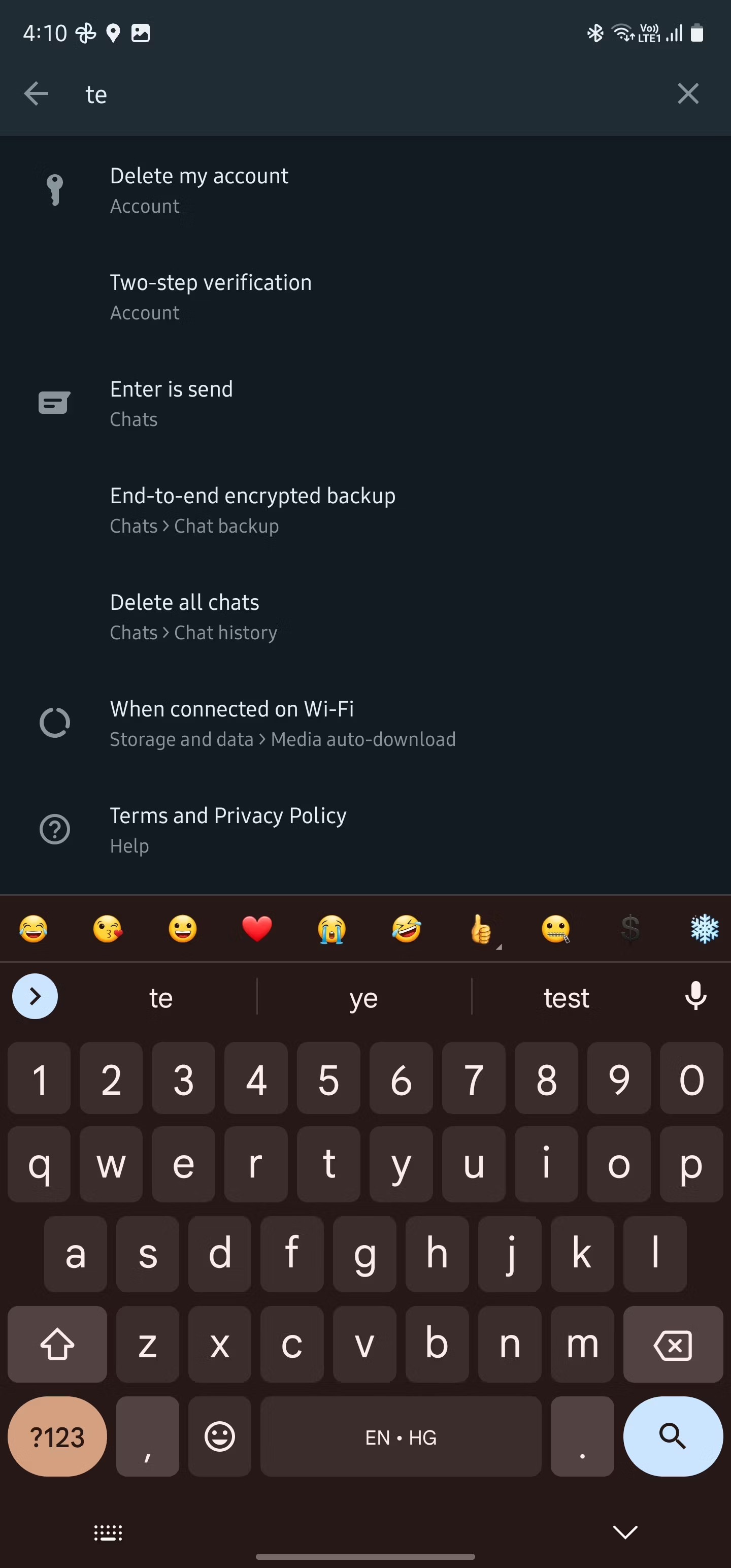
Now, if you are looking to encrypt your WhatsApp backups on Google Drive, customize your WhatsApp privacy settings, or want to delete unwanted WhatsApp media from your phone, you don't have to dig through the Settings menu to find the relevant option. You can use the search option in the Settings menu and directly jump to the feature you want to customize.
This is a small change, but with WhatsApp's Settings menu getting increasingly convoluted, it is a welcome addition. Read More…