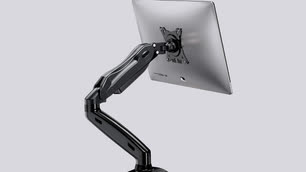
Best monitor arms in 2022
-
 Loading...
 - Liam Walsh
- 23 May 2022
- 325 Views
- 0 Like
- 0 Comment
Monitor arms are a great way to improve your workspace setup. They free up valuable desk real estate, organize cords, and offer extended screen space when you combine multiple arms. But perhaps most importantly, they can improve the ergonomics of your workstation. With so many of us stuck at computers for big chunks of the day, neck problems abound. This is usually a result of looking down at a screen for long periods. The best monitor arms lift your monitors so that you can look straight ahead, reducing strain on your neck and shoulders.
- Best overall: Fully Jarvis Monitor Arm
- Best dual: VIVO Dual LCD LED 13 to 27 inch Monitor Desk Mount Stand
- Best for gaming: Ergotron – HX Single Ultrawide Monitor Arm
- Best long (tall): Ergotron – LX HD Sit-Stand Single Monitor Arm
- Best budget: HUANUO Single Monitor Mount
Things to consider before buying a monitor arm:
While monitor arms are mostly simple devices, there are some key things to pay attention to when buying one. Check out the most important ones below to ensure you are getting the right monitor arm for your needs.
Monitor size
Whether you already have a monitor and are looking to upgrade your display setup, or you are looking to buy both a monitor arm and monitor, be sure to pay close attention to the maximum monitor size the monitor arm can support. Monitor arms often provide limits on both the diagonal size of the screen as well as the weight of the entire panel. You don’t want to set up your monitor arm and attach the monitor only to have it sag down because it can’t support the weight. Similarly, you don’t want the arm’s movement and placement limited because the gigantic screen gets in the way.
Height
Since one of the purposes of monitor arms is to make your workstation more ergonomic, you’ll want to figure out what height will be the most ideal for you and your desk setup. If you are vertically gifted, you may want to focus on monitor arms designed explicitly for extra height, as otherwise, you’ll still be craning your neck looking down at your screen. Many monitor arms offer more than a foot of adjustability, which provides a ton of flexibility.
Adjustability
Not all monitor arms are created equal when it comes to adjustability. For example, arms based around a center pole are usually more limited in how much you can adjust the positioning. If full customization and fine-tuning of the arrangement are important to you, look for a monitor arm that has articulation at just about every joint.
Advanced arms offer swiveling to turn your monitor around, rotation to switch between portrait and landscape mode, and tilt to lean the top of the display forward or backward. Not every arm will offer all of these movements, so pay careful attention to the range of motion when you’re comparing models.
Cable management
Find a monitor arm with built-in cable management if you are like me and despise cord mess a silly amount. Some will allow you to feed the cords down through the arm’s interior for a fully hidden look, whereas others simply gather the cords into a bunch and run down the exterior.
Mounting method
The last pieces to consider are the mounting method both on the monitor itself (how the arm will connect to the monitor) and how the monitor arm will connect to your workspace. The back of your monitor will have a VESA pattern, which refers to the distance between screw holes. Be sure to double-check that the VESA pattern of your monitor is compatible with the monitor arm before hitting that purchase button. Numbers after the VESA name indicate how far apart the mounting holes are so be sure to choose the right orientation for your monitor or be prepared to use an adapter.
Most monitor arms will mount to your desk with either a clamp or a grommet mount. However, they are limited by how wide they can extend, so double-check the thickness of your desk before committing to a monitor arm. Some are as small as two inches, which may not fit on your workspace.
The best monitor arms in 2022: Our picks
Best overall: Fully Jarvis Monitor Mounting Arm
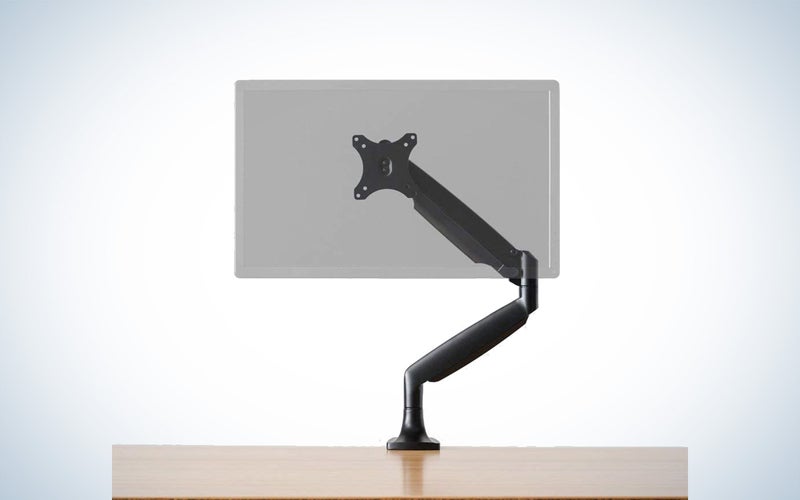
Why it made the cut: The 15-year warranty, availability in different colors and a dual arm, and slick cable integration makes the Fully Jarvis monitor arm stand out from the rest.
Key features:
- Max monitor weight: 19.8 pounds
- Compatible monitor size: 13 to 32 inches
- Max height: 19.8 inches
- Color options: Black, silver, white
Pros
- Three color options
- Available in dual arm
- Very adjustable
- Integrated cable management
Cons
- A little pricey
The Fully Jarvis Monitor Mounting Arm stands out for a few reasons. First, it has a longer warranty–15-years–than any of the competition, even the most expensive options. That gives you some peace of mind should something go wrong. The arm is gas-activated, which results in super-smooth movements when you need to adjust it.
The Jarvis is adjustable in almost every way, so you can really fine-tune the positioning by rotating, tilting, and swiveling. It can even rotate 90 degrees to switch from vertical to horizontal orientation. Monitors from 13 to 32 inches and up to nearly 20 pounds are compatible, so you can go with a larger display and not worry about functionality.
Fully’s Jarvis monitor arm fits VESA 75mm & 100mm monitors. It’s available in three colors and comes as a dual arm or a dual arm with a laptop stand.
Best for dual monitors: Vivo Dual Desk Mount
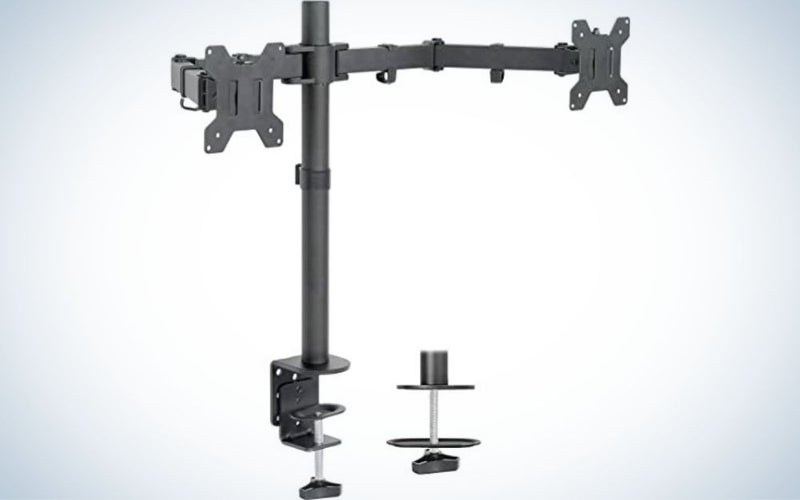
Why it made the cut: The Vivo Dual Desk Mount is much more affordable than other dual monitor options but still has plenty of adjustments and is sturdy enough for larger monitors.
Key features:
- Max monitor weight: 22 pounds per monitor
- Compatible monitor size: 13 to 27 inch screens
- Max height: 16 inches
- Color options: Black or white
Pros
- Vertical orientation possible
- Comes in black and white
- Affordable
- Single pole for minimal look
Cons
- Cable management could be better
- Requires assembly
The Vivo Dual Desk Mount is a great way to organize your monitors and free up loads of desk space for the dual display lovers out there. Though it does limit adjustability some, the single center pole is sleek looking for a less cluttered workspace. Though it still has plenty of articulation and can be turned for vertical or horizontal monitor orientation.
The base of the Vivo is small yet sturdy and can accommodate desks up to four inches thick. It supports monitors up to 27 inches and 22 pounds, so you can throw on heavier monitors and not worry. While there is some cable management, it doesn’t hide the cords from sight. And although it may lack some of the movements of other options, the price is extremely budget-friendly. Read More...