What is Facebook Neighborhoods, where is it available and how does it work?
-
 Loading...
 - Sem Visser
- 22 Jun 2022
- 173 Views
- 0 Like
- 0 Comment
Facebook has a feature called Neighborhoods, designed to be a section within the Facebook app to help people connect with their local community, discover new places nearby and connect with neighbours.
Here is everything you need to know about Facebook Neighborhoods, including where the feature is available, how it works and what it offers.
What is Facebook Neighborhoods?
Facebook Neighborhoods is described by Facebook as "a single destination to build and strengthen local communities on Facebook".
It has been created as a dedicated space within the Facebook app that enables users to connect with their neighbours, get involved in their local communities and find new places and recommendations within their communities.
The idea is to support local businesses, while also giving people the ability to share tips in local groups and meet neighbours with common interests.
How does Facebook Neighborhoods work?
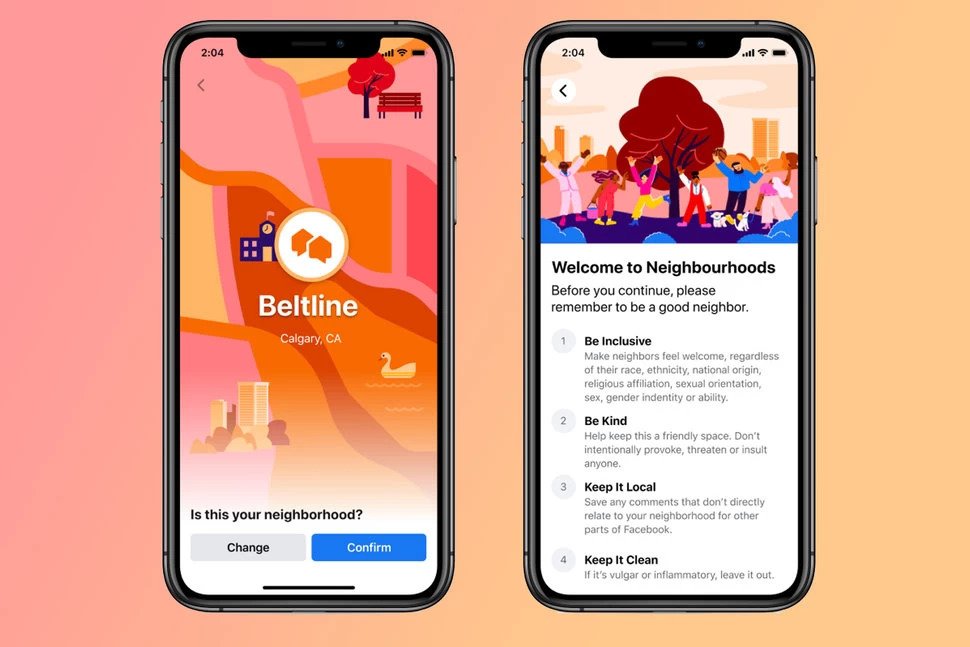
Facebook Neighborhoods is a specific section of the Facebook app and it's an opt-in experience so you can choose whether or not you want to join it if it is offered in your area.
You have to set up a Neighborhoods profile that is separate to your Facebook profile, but your Neighborhoods profile includes your name, profile picture and cover photo from your Facebook profile. It will also show your Neighborhood, which you have to confirm when you join. You'll also have the option to join nearby Neighborhoods to see posts from surrounding neighbours.
You have to be over 18 to join Facebook Neighborhoods.
During setup, you'll be able to add interests, your favourite places and a biography if you want to, in order to help people within your Neighborhood get to know you better.

What features does Facebook Neighborhoods have?
There are a number of features offered under the Facebook Neighborhoods umbrella.
Neighborhoods Directory
The Neighborhoods Directory is where you'll find information about other neighbours in your Neighborhood. Their bios, favourite places and interests will appear here, like yours will from your profile if you've chosen to include them.
You can also write a post introducing yourself and you can join in discussions on posts from other neighbours and answer questions in the dedicated Neighborhoods Questions feed.
Create Neighborhoods groups
Facebook Neighborhoods allows you to create Neighborhoods-bounded groups based on your interests, such as a group for basketball lovers to talk about the latest game, or bird watchers to discuss birds in the local area.
It's also possible for admins of Facebook Groups to add their Group into Neighborhoods, making it easier for those that live locally to find it.
A group created in Neighborhoods can be private, open, visible or hidden. If it's private, only members of the group who have joined the Neighborhood will see the posts. If the group is open, anyone in the Neighbourhood or Nearby Neighborhoods (if selected) can see members of the group and the posts.
For visible groups, anyone in the Neighborhood can search for and find the group. If the group is hidden, only members can find the group. Read More...