Tips on how to Repost on Instagram
-
 Loading...
 - Tess Wallace
- 29 Jan 2025
- 46 Views
- 0 Like
- 0 Comment
Reposting content on Instagram is a great way to engage with your audience, build community, and showcase social proof for your business. Whether you want to share user-generated content, highlight collaborations, or simply spread the word about something you love, reposting can enhance your brand’s visibility and foster connections. Here are some tips for effectively reposting on Instagram:
1. Ask for Permission
Before reposting someone else's content, it’s essential to ask for their permission. This not only shows respect for the original creator but also helps maintain a positive relationship. A simple direct message or comment asking if you can share their post can go a long way.
2. Use Reposting Apps
There are several apps available that make reposting easy and efficient. Apps like Repost for Instagram, Regrammer, and others allow you to share content while automatically crediting the original creator. These tools often provide options to customize the repost, such as adding your own caption or branding.
3. Utilize Instagram’s Built-in Features
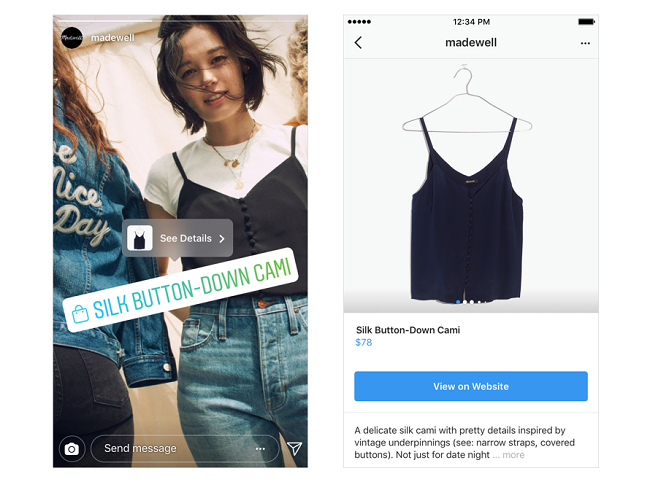
Instagram has introduced features that facilitate sharing content. For example, you can share posts directly to your Stories by tapping the paper airplane icon below the post and selecting "Add post to your story." This method allows you to share content while maintaining the original post's context.
4. Credit the Original Creator
When reposting, always give credit to the original creator. Tag them in the post and mention them in your caption. This not only acknowledges their work but also encourages your followers to check out their profile, fostering a sense of community.
5. Add Your Own Commentary
When reposting, consider adding your own thoughts or commentary to the caption. This personal touch can help contextualize the content for your audience and encourage engagement. Share why you’re reposting it and how it relates to your brand or message.
6. Maintain Your Aesthetic
When reposting, ensure that the content aligns with your brand’s aesthetic and values. This helps maintain a cohesive look on your profile and reinforces your brand identity. If the original post doesn’t fit your style, consider editing it slightly (with permission) to better match your feed.
7. Engage with the Original Post
After reposting, engage with the original post by liking and commenting on it. This shows appreciation for the creator and can help strengthen your relationship with them. It also encourages your followers to engage with the original content.
8. Repost User-Generated Content (UGC)
Encouraging your followers to create content related to your brand can be a powerful way to build community. Reposting UGC not only showcases your customers but also provides social proof, demonstrating that real people enjoy your products or services.
9. Be Mindful of Copyright
Always be aware of copyright issues when reposting content. While sharing is a common practice on social media, it’s important to respect the rights of content creators. If in doubt, seek permission or use content that is explicitly marked for sharing.
10. Track Engagement
After reposting, monitor the engagement on your post. Pay attention to likes, comments, and shares to understand what resonates with your audience. This information can help you refine your reposting strategy in the future.
Reposting on Instagram can be a valuable tool for building community, showcasing social proof, and enhancing your brand’s presence. By following these tips, you can effectively share content while respecting the original creators and engaging your audience. Remember, the key to successful reposting is to maintain authenticity and foster connections within your Instagram community.