The 9 Most Effective iPhone Photography Tips for Better Photos

What is iPhone Photography?
It’s a whole new way to use your iPhone to record moments and surroundings. iPhone photography is the same as photography without a camera and editing without a computer. Although iPhone cameras are less sophisticated than DSLR cameras, the quality of a photograph is determined by factors other than the equipment used. It’s all about your imagination, composition, and command of the tools at your disposal. Learning to shoot better iPhone shots is simple, and it’s a terrific way to save money on camera equipment while also making more room in your backpack.
How can you get the most out of your iPhone photography?
Even though we carry iPhones with professional-quality cameras these days, not everyone knows how to capture professional-quality images. Some people devote years to learning professional photography skills.
However, all you need are a few basic iPhone photography skills. Like any new ability, iPhone photography requires practice and experimenting, but even beginners can create excellent iPhone images with minimal effort.
Use these tips and tricks to improve your shots.
1. Clean lens
It is easy, but so many of us overlook it! Because our phones’ cameras lack lens shields, they become filthy in our hands, wallets, bags, and so on, resulting in smudges, dust spots, or hazy regions on our images. To clean the lens, use a microfiber cloth or the inside of your shirt. If you remember to do this frequently, your images will be a lot sharper. This is especially critical if you’re using any of those iPhone clip-on lenses, such as macro lenses.
2. Prevent camera shake
The sharpness of an image is one of the primary aspects of photography. This signifies that you want the subject to be sharply focused, with no (unintended) blurring.
A shaky camera is one of the factors that influence photo clarity. Shaky cameras result in poor photo composition, blurred images, and poor focus quality.
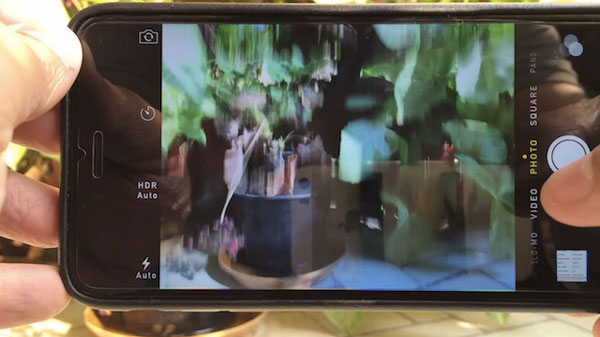
You can shoot images by clicking the white shutter button, volume key, or volume key from a wired or wireless earphone. I recommend using earphones. To achieve minimal camera movement, we must manage our breathing, keep the iPhone as motionless as possible, and provide as little disruption to the iPhone as possible.
You may use a tripod for more difficult photographs, such as low-light photos, action shots, or photos of moving water. But you will need to invest in an iPhone tripod to remove camera shaking for razor-sharp images.
Pro-Tip
• For levelling your smartphone on the tripod, use iPhone’s system app Compass.
• When using a tripod you’ll need to use a self-timer.