How to Delete Your Snapchat Account
-
 Loading...
 - Evans Boafo
- 06 Apr 2023
- 67 Views
- 0 Like
- 0 Comment
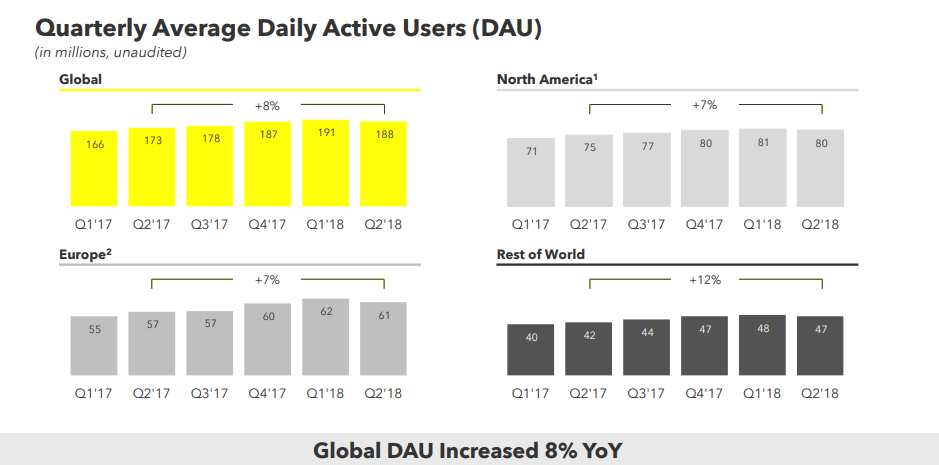
Snapchat is a popular social media app that makes it easy to keep in touch with friends and quickly share selfies, photos, and videos. With 382 million daily active users, it’s also a great place to get brand exposure.
The now-familiar Snapchat Lenses add some extra fun with high-quality AR effects that can morph you into a Pixar-like character or add makeup and accessories.
Despite the potential for friendship and fun, a hacked account, harassment, or overuse bordering on addiction might inspire you to delete Snapchat. There are plenty of other social media networks that can take Snapchat’s place if you prefer.
Here’s what you need to know before you delete Snapchat, how to proceed without losing your data, and some alternatives to limit the account if you are uncertain whether you’re ready to leave forever.
How to Save Snapchat Account Data Before Deleting
Snapchat collects your phone number, email address, and name when you create your account. Over time, you will probably add quite a bit more to your account, including your payment information, birthday, memories, friends list, and more. Your history of using the app is also stored, including your frequent locations, chat and search history.
Some of this data might be of interest to you and worth saving, while most of it can be deleted. Unfortunately, download options are limited. You can choose to include memories in your download and select a date range.
To request your Snapchat data, open the app and tap your avatar in the top left corner of your screen, then the gear at the top right to open settings. Scroll all the way to the bottom of settings to find My Data. Read More…