How to Charge Your Android Phone Faster: 9 Tips and Tricks
-
 Loading...
 - Sophia Brown
- 07 Oct 2022
- 54 Views
- 0 Like
- 0 Comment
Having to charge your phone constantly is frustrating. If your usage is above average, it's still often unlikely your handset can make it throughout the day without a top-up of power in the early evening.
And although the move to USB-C cables is whittling away at the time it takes to give your device some extra juice, hanging around while your battery re-energizes itself can be tortuous.
But don't worry, there are some tips, tricks, and gadgets that can make the charging experience less painful. Here are the nine smartest Android charging tricks you're not using.
1. Enable Airplane Mode
One of the biggest draws on your battery is the network signal. As a general rule, the worse your signal, the faster your battery will drain.
Consequently, if you live in an area with a poor signal, charging your phone takes longer than if you reside in a place with a strong signal—the signal is eating through your power as you charge.
The quick solution? Put your phone in Airplane Mode before you plug it in. Testing suggests it could reduce the amount of time needed for a full charge by as much as 25%.
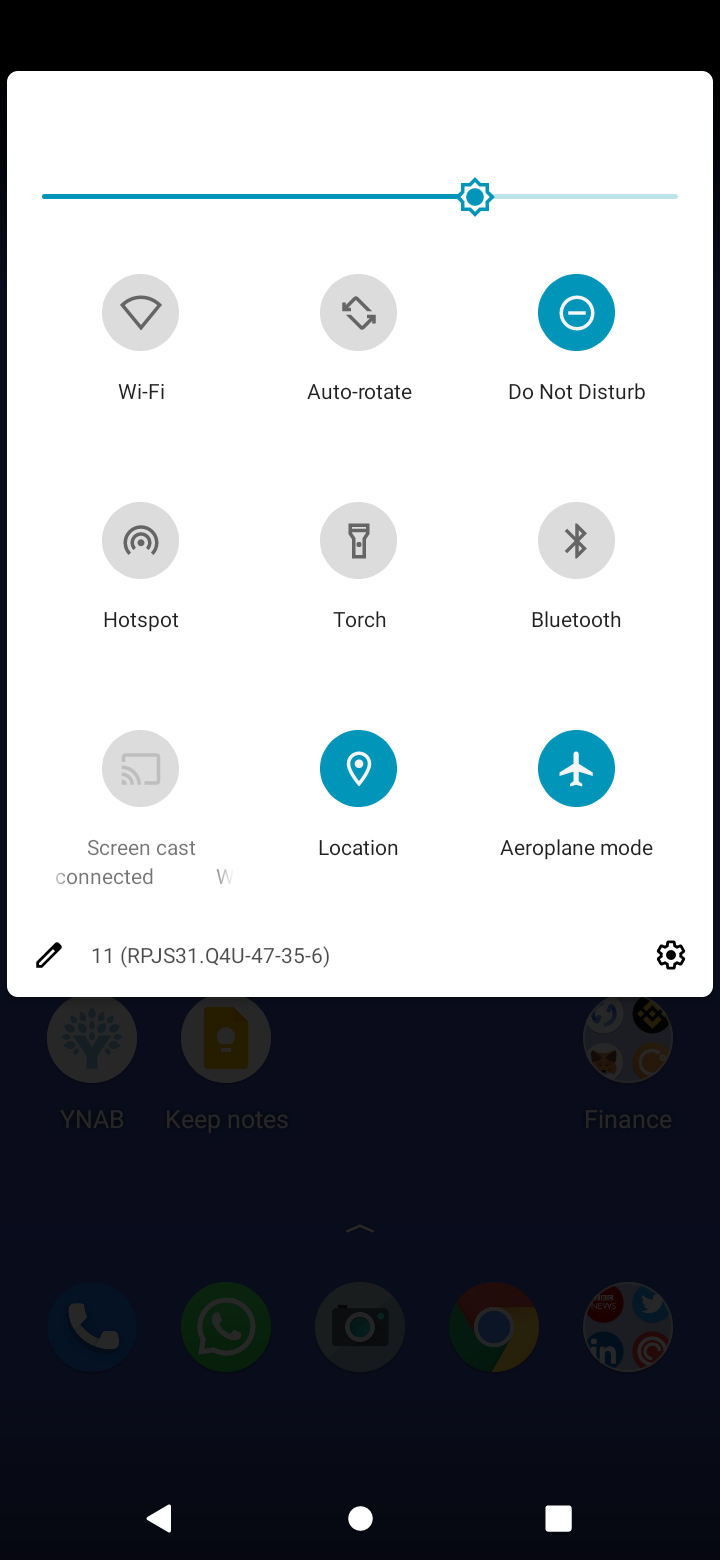
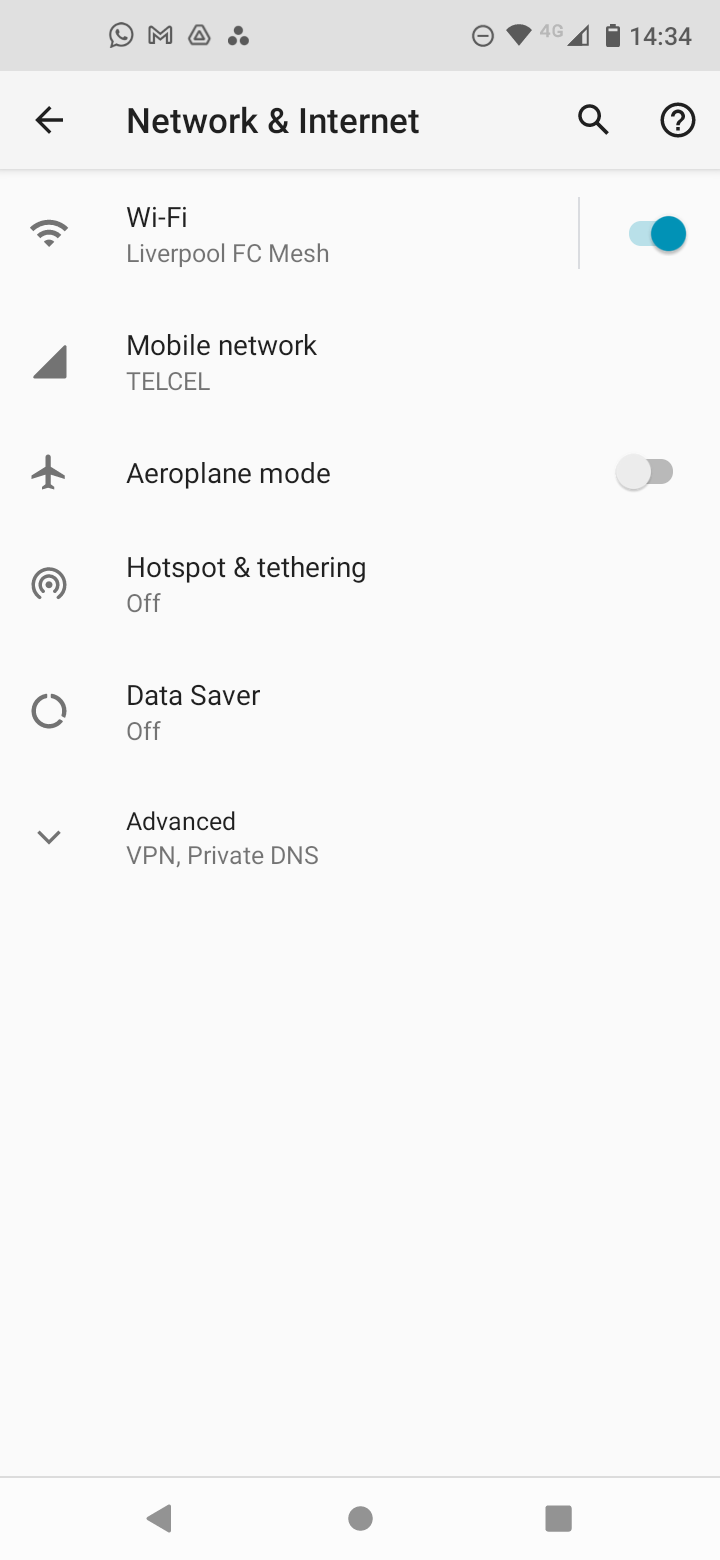
To put your phone into Airplane Mode, simply swipe down on the notification bar and tap the Airplane mode icon. Alternatively, you can go to Settings > Network and Internet > Airplane mode.
Just make sure you turn it off again once your battery is full! Read More…