6 Easy Steps to Get Started with Facebook Groups for Your Business
-
 Loading...
 - Hoi Angelique
- 07 Dec 2020
- 1759 Views
- 0 Like
- 0 Comment
Are you a member of any Facebook groups? You may have signed up to some years ago, but forgotten all about them. If that’s the case, it’s time to take another look.
Recently, Facebook has paying more attention to groups, and adding some significant improvements and new features. For example, all Pages can now create linked groups, group membership questions have been rolled out and you can now post to a group as a Page, not just as an individual.
As a result of these updates, you may have heard a lot more about Facebook groups lately. You may also be noticing more group posts appearing on your timeline. But have you considered creating a Facebook group for your business?
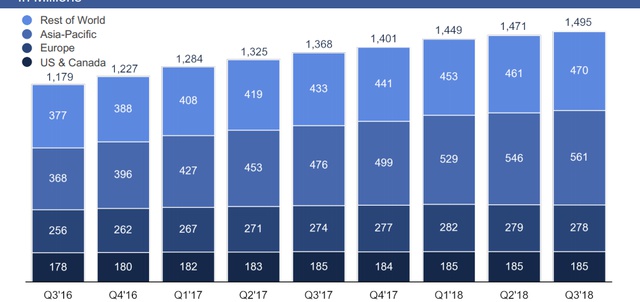
Groups are an excellent way to personally connect with your customers, as well as potential clients. There's also great value in building a community around your brand and in having somewhere that your customers can find out more, or talk with others within your brand community. If you’re still unsure, did you know that groups have more than a billion monthly active users?
To help you build an effective Facebook group for your company, here are six simple steps:
1. Create the right group
First off, it’s important to decide on the purpose of your Facebook group. Do you want to use it as a place where customers can come to ask questions? Do you want customers to be able to speak with other like-minded customers? Or perhaps you want to use it as a place to get valuable feedback?
Next, decide what you want your group to be called and who you want to attract. You can limit members by setting the right privacy settings. You can set your group to ‘public’, so everyone can see it, or ‘closed’, where it’s more exclusive and only specific customers can join. You can also make your group ‘secret’ so that it doesn’t show up in search results and people can only be added by invitation.
2. Encourage members to join
Now you have your group set up, you need to add members.
There are several ways you can do this - if you already have a Facebook Page, advertise your group there. Additionally, consider sending out an email to your mailing list, encouraging them to join your group.
This shouldn’t just be a one-off activity. Promote your group regularly (whilst being careful not to over-promote).
Once you have members of your group, ask them to invite their friends too. This is a great way to get your group to grow - however, you should also work to ensure that you're attracting people to your group which match your target audience.
3. Create clear group rules
Once you have members, you'll start to generate some interactions - however, before that happens, take some time to establish your group rules.
Consider whether you'll allow people to promote their own businesses in the group (some groups allow this, but only on a certain day of the week/month for example). Will you moderate posts before they're shown in the group, or can anyone post, whenever they want?
No one wants to join a group that's full of spam, irrelevant or self-promotional content, so establishing clear rules from the very start can help to avoid a lot of problems in the longer term.
If you’re not sure which rules you want to have, think about what you like or dislike about the groups you're already a member of.
4. Create content specifically for the group
It’s not enough to just set up the Facebook group and then leave it to run itself. To create a successful group, you need to provide value to your members. Creating a posting plan for your group content is a good place to start.
A big mistake businesses often make is setting up an account and spamming users with self-promotional posts, full of links back to their website. Instead, share valuable content, which, ideally, isn’t available anywhere else on your social channels. You should also ask questions and encourage discussion wherever possible.
To save time, you can schedule your posts using the group platform itself, or with tools such as Hootsuite.
5. Spend time in your group daily
Building an effective Facebook group doesn’t come instantly. It requires a lot of time and effort.
Whilst being able to schedule posts is a huge help, you will still need to set some time aside each day to monitor your group.
It’s important that when people comment on your posts, or post their own pictures, questions or other content, you reply and have a positive presence there. Don’t forget to get liking other people’s posts too, as well as commenting on them and offering useful information and insights wherever possible.
If you’re unable to spend time in your group each day, you may want to consider recruiting a Social Media Manager to help out.
6. Check your insights
Now that you have your group up and running, it’s important to regularly monitor its progress.
Use Facebook Group Insights to see how your group is growing - first, take a look at which posts receive the most engagement. This can help you to make your posting plan even more effective.
You should also spend some time getting to know the demographic make-up of your group. This can help you to tailor content to them or give top contributors the recognition they deserve.
As noted, Facebook's been putting increased focus on groups in 2018, and the new options provide a range of opportunities, making groups an even bigger consideration for marketers. If you haven't considered the possibilities of groups before, they may be worth adding to your 2018 strategy.